# Mesh Wrapping
Prepare a custom head for the Converter by wrapping it to the MetaHuman topology and UV layout.
Canonical URL: https://docs.polyhammer.com/blender-addons/character-dna/0.15.1/workflows/mesh-wrapping
Product: character-dna
Version: 0.15.1
Channel: production
Updated: 2026-11-21T13:45:20Z
Documentation source: initial main snapshot approved 2026-11-21T13:45:20Z
Documentation commit: 3533cd1260a9bd4b2806aaa4c64ead70766a1674
Release tag commit: 71125e9857db2b5a8ffa9426cc1f769d13017fd5
Owner-approved migration baseline: use current main documentation for the current stable release once; all subsequent releases use their tag snapshots.
To convert a custom head into a MetaHuman DNA with the [Converter](/blender-addons/character-dna/0.15.1/pro-features/converter), your mesh must share the MetaHuman topology and UV layout. **Wrapping** is how you get there: you deform a copy of the base MetaHuman head and body meshes so they conform to your scan, sculpt, or alternative topology.
## Why Wrap? [#why-wrap]
The [DNA auto-fitting](/blender-addons/character-dna/0.15.1/pro-features/converter) algorithm is **UV based**. It only produces a correct fit when your mesh uses the base MetaHuman UV layout with **no overlapping or extra islands, or distorted points**.
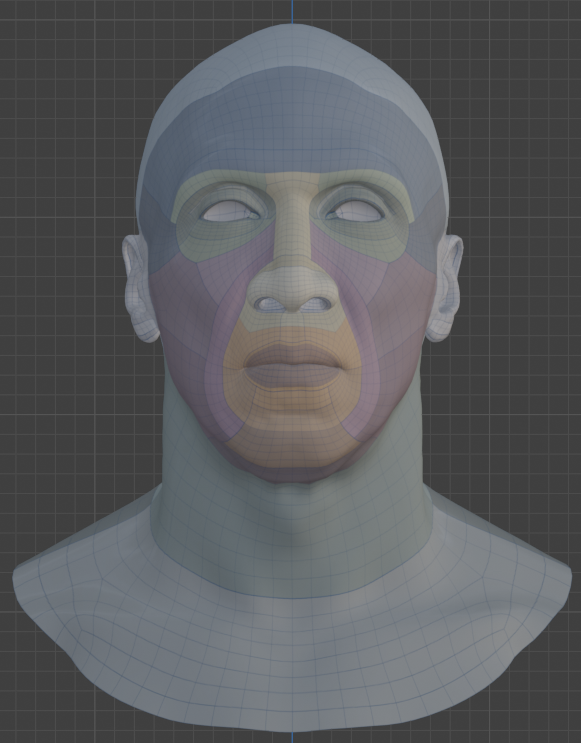
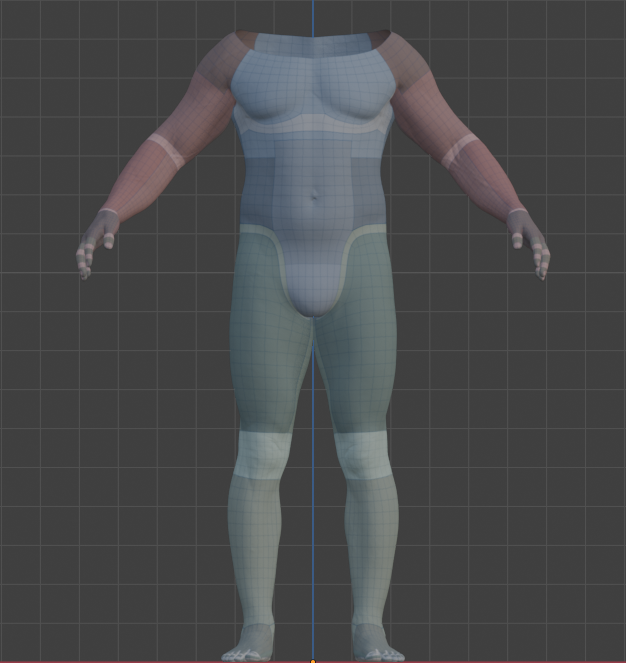
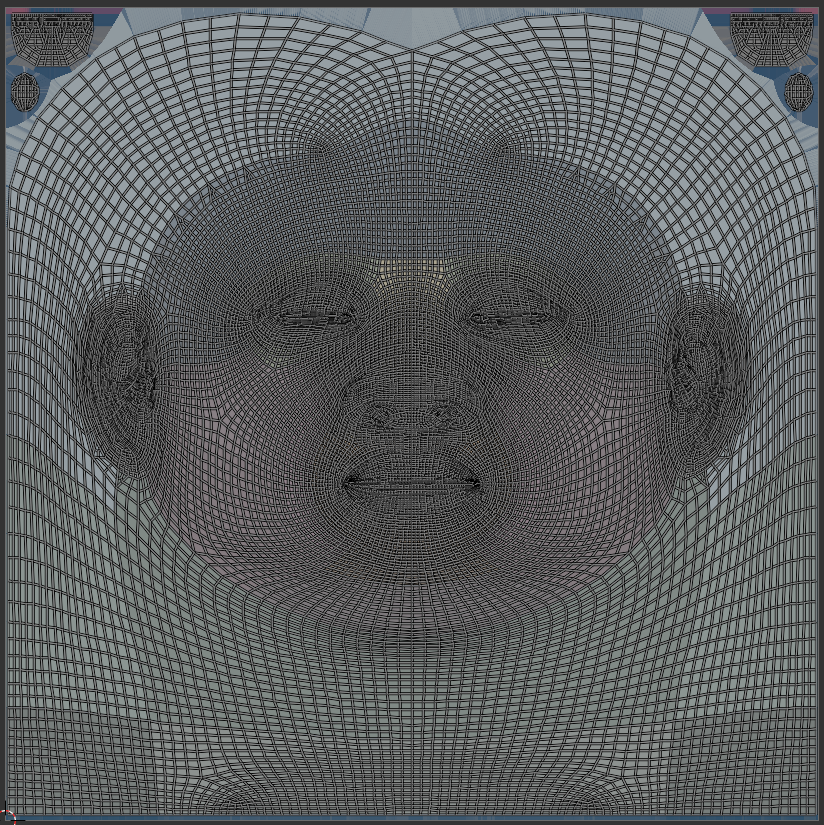
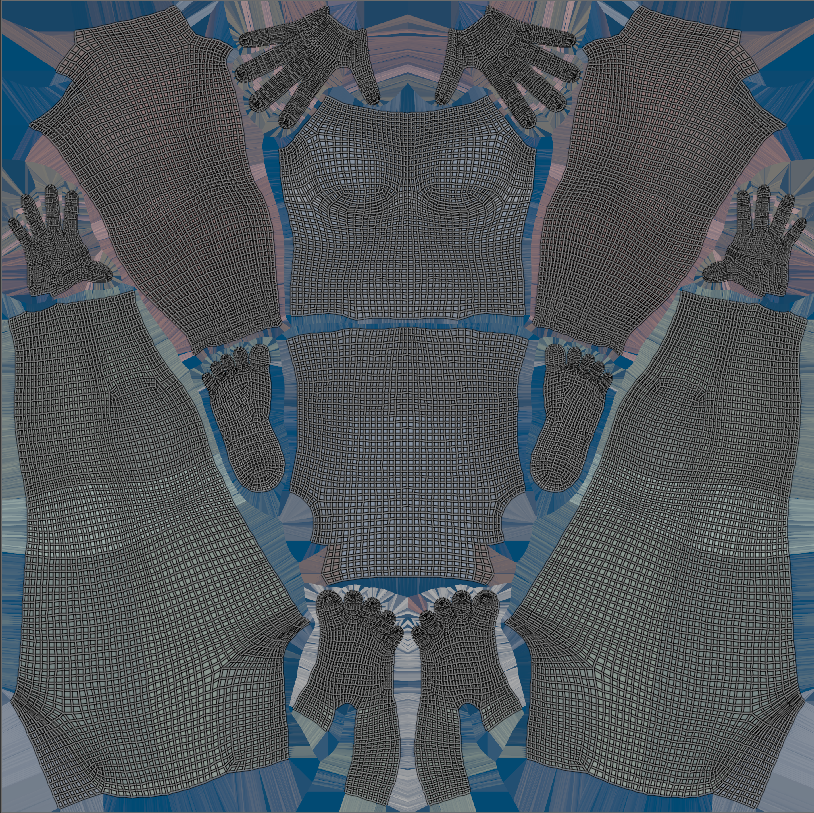
Wrapping preserves that layout because you start from the base MetaHuman head and body meshes and only move their vertices. Never change their vertex count or UVs.
## Methods [#methods]
There are several ways to produce a wrapped, topology-matched head and body. Pick whichever fits your pipeline.
### 1. Face Form Wrap [#1-face-form-wrap]
A dedicated wrapping tool that is a fast and accurate way to conform the base MetaHuman head and body meshes onto your target scan or sculpt while preserving topology and UVs.
[Video tutorial: Face Form Wrap tutorial](https://www.youtube.com/embed/813BCbIwGiE)
### 2. Mesh to MetaHuman (Unreal Engine 5.8) [#2-mesh-to-metahuman-unreal-engine-58]
Epic's built-in **Mesh to MetaHuman** tool fits a MetaHuman topology onto your custom mesh directly in Unreal, then hands it back through MetaHuman Creator. Export the resulting DNA and bring it into Blender.
- [MetaHuman Creator from custom mesh tool in Unreal Engine](https://dev.epicgames.com/documentation/metahuman/metahuman-creator-from-custom-mesh-tool-in-unreal-engine)
### 3. Blender (Proportional Editing, Sculpt, Shrinkwrap) [#3-blender-proportional-editing-sculpt-shrinkwrap]
Wrap entirely in Blender by reshaping a copy of the base MetaHuman head and body:
1. Use **Proportional Editing** to block in the overall shape toward your target.
2. Refine with **Sculpt** brushes for finer detail.
3. Systematically add **[Shrinkwrap modifiers](https://docs.blender.org/manual/en/latest/modeling/modifiers/deform/shrinkwrap.html)** targeting your reference mesh, scoping each to a **vertex group** so you can conform specific regions (cheeks, brow, jaw) without disturbing the rest. Apply as you go.
You can even combine these methods to achieve your desired result, using free or paid tools as needed.
## Convert [#convert]
Once you have a wrapped head and body mesh, run **Convert to DNA**.
Wrapping the character in a neutral position with the mouth slightly open and eyes slightly closed can be ideal for transferring textures or vertex group data. You can then edit the `default` item in the [Raw Editor](/blender-addons/character-dna/0.15.1/pro-features/raw-editor) to close the mouth and fully open the eyes, defining the character's rest pose.