
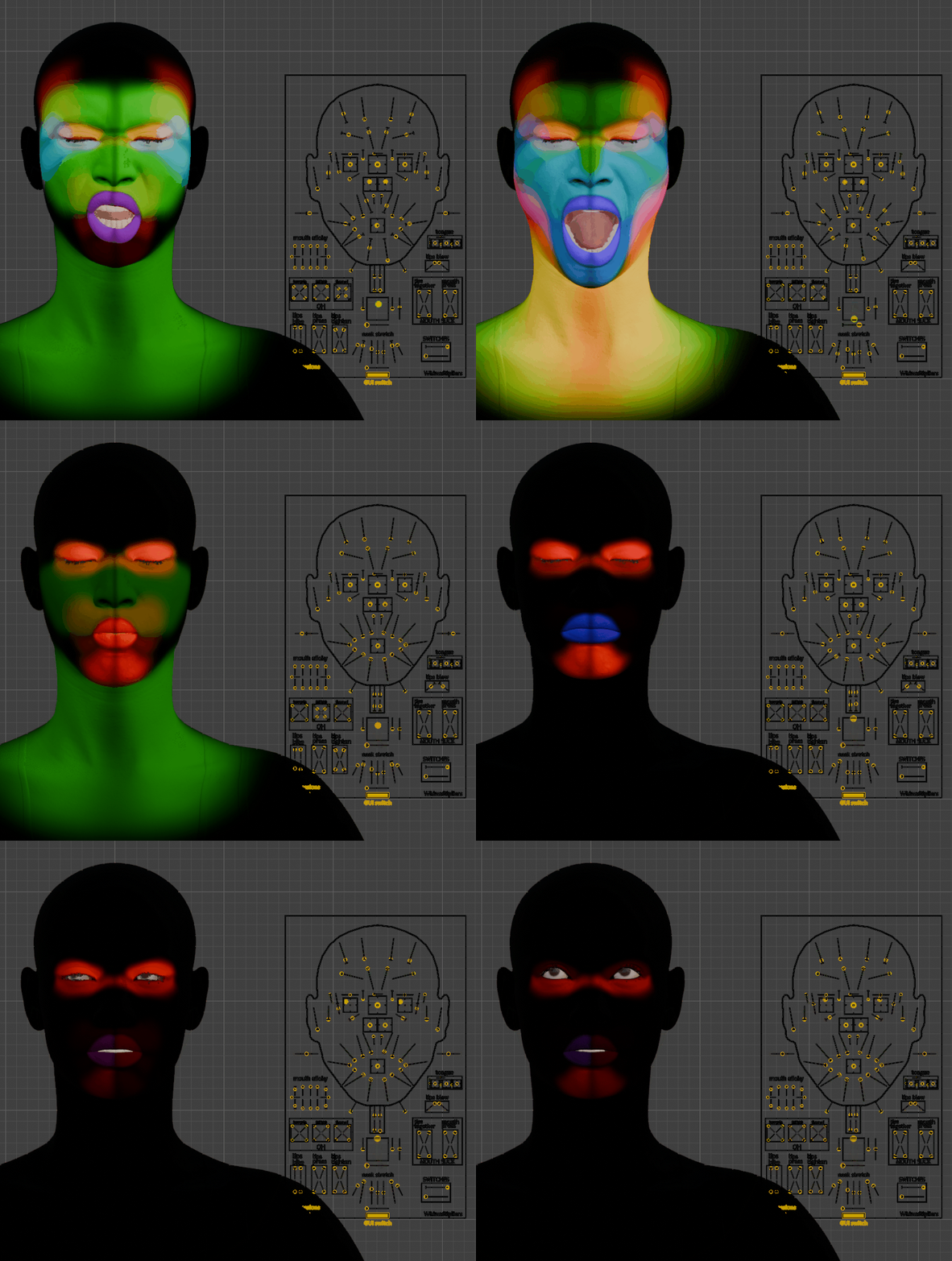
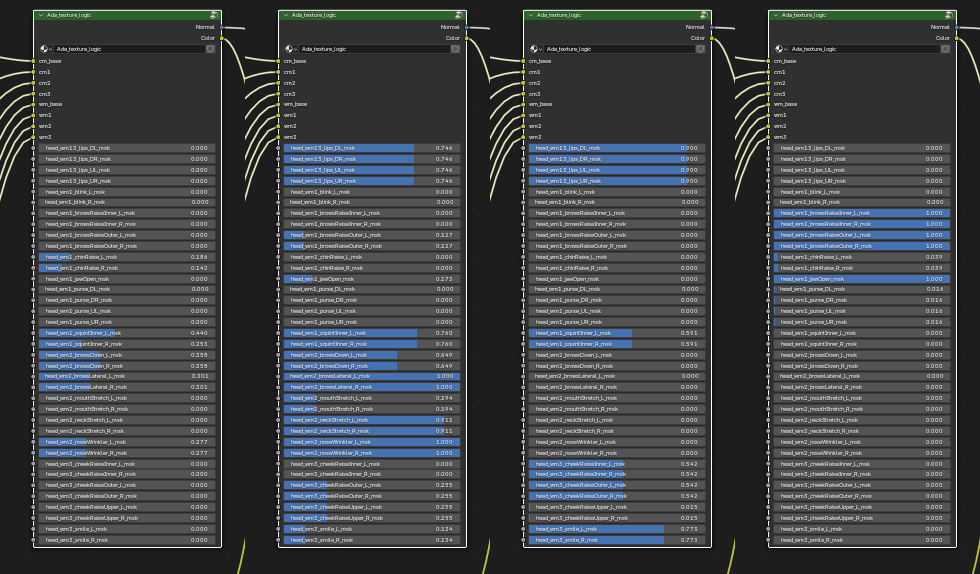
Textures feed the Texture Logic node, which blends color and normal map variants to produce animated wrinkle maps as RigLogic evaluates.
Custom Materials
You can build a fully custom material node tree. Just add one Texture Logic node to the graph (Add > Rig Logic > Head Texture Logic in Blender's Shader Editor) and link your material in the Rig Instance outputs.
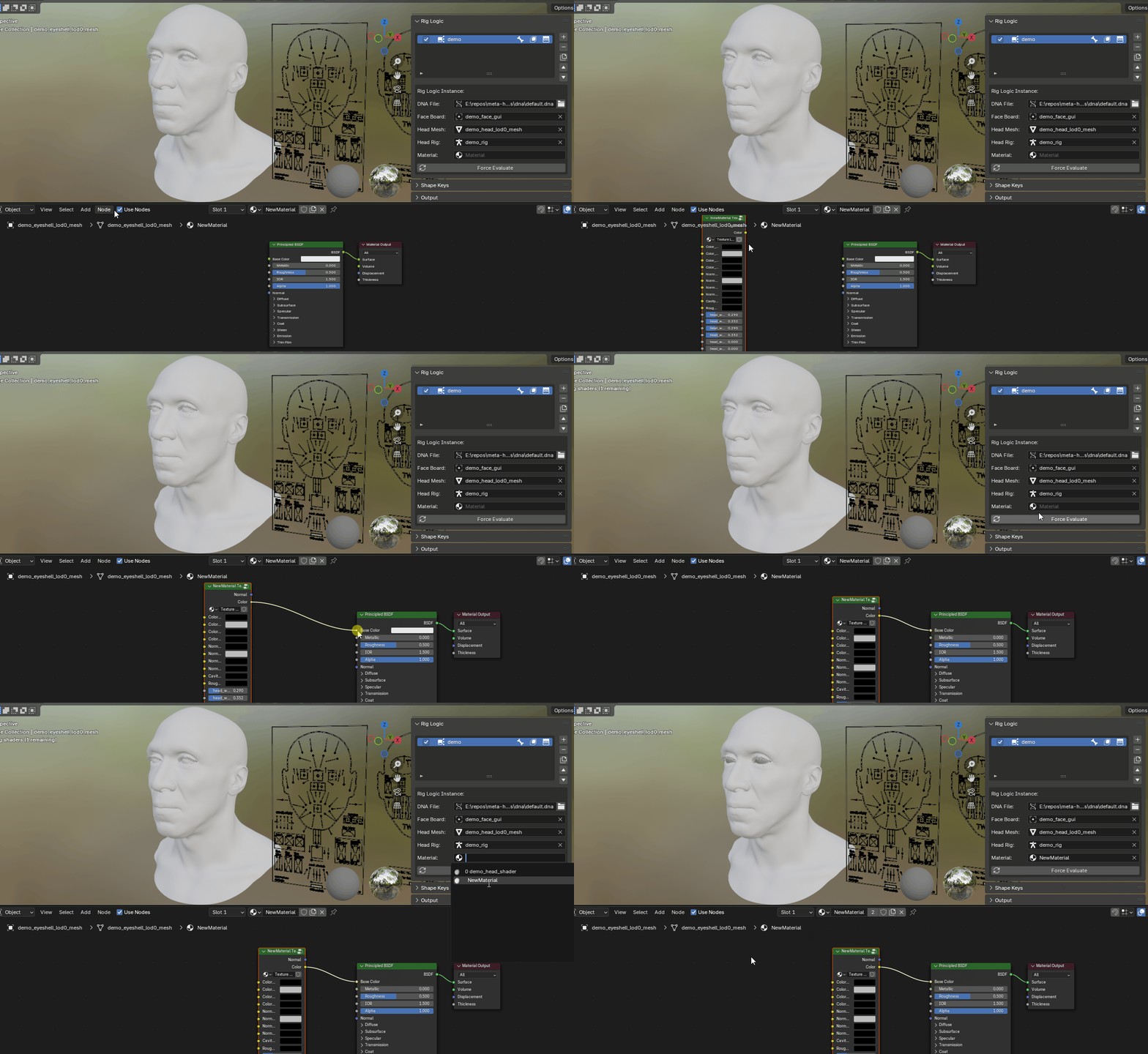
With that connected, RigLogic updates the wrinkle map masks for you as the GUI controls are evaluated.
Importing Textures
When importing or converting a mesh, you can set the Maps folder location. By default, if a Maps folder sits alongside the .dna file, the importer uses it; otherwise, point it at your folder.
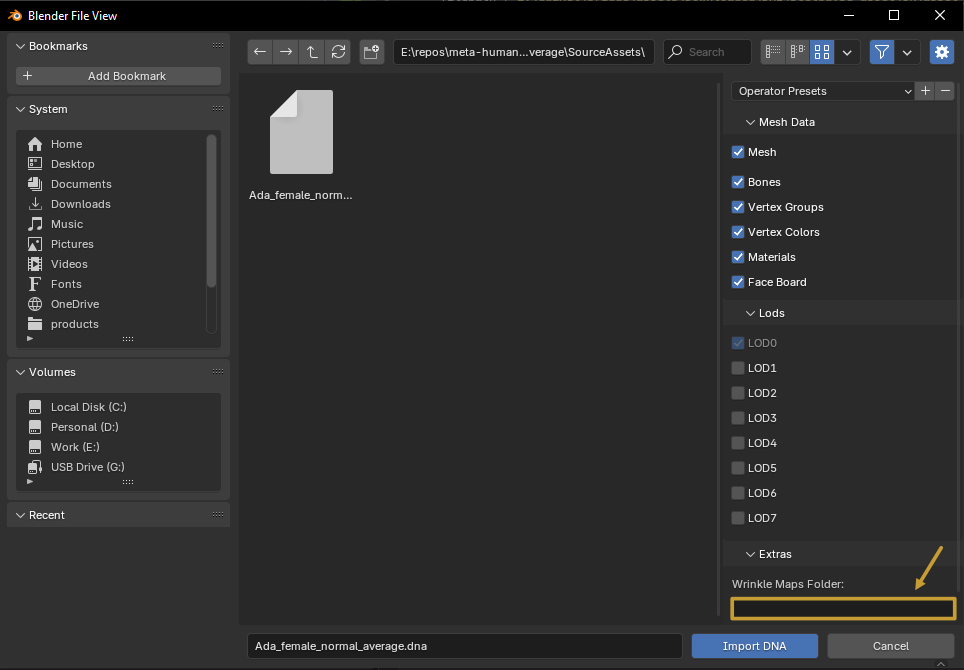
The importer links any .tga or .png textures to the Texture Logic node inputs that follow one of these naming patterns:
Pattern 1
| Texture File | Maps To |
|---|---|
| Head_Basecolor.png | Color_MAIN |
| Head_Basecolor_Animated_CM1.png | Color_CM1 |
| Head_Basecolor_Animated_CM2.png | Color_CM2 |
| Head_Basecolor_Animated_CM3.png | Color_CM3 |
| Head_Normal.png | Normal_MAIN |
| Head_Normal_Animated_WM1.png | Normal_WM1 |
| Head_Normal_Animated_WM2.png | Normal_WM2 |
| Head_Normal_Animated_WM3.png | Normal_WM3 |
Pattern 2
| Texture File | Maps To |
|---|---|
| Color_MAIN.tga | Color_MAIN |
| Color_CM1.tga | Color_CM1 |
| Color_CM2.tga | Color_CM2 |
| Color_CM3.tga | Color_CM3 |
| Normal_MAIN.tga | Normal_MAIN |
| Normal_WM1.tga | Normal_WM1 |
| Normal_WM2.tga | Normal_WM2 |
| Normal_WM3.tga | Normal_WM3 |
Pattern 3
| Texture File | Maps To |
|---|---|
| head_color_map.tga | Color_MAIN |
| head_cm1_color_map.tga | Color_CM1 |
| head_cm2_color_map.tga | Color_CM2 |
| head_cm3_color_map.tga | Color_CM3 |
| head_normal_map.tga | Normal_MAIN |
| head_wm1_normal_map.tga | Normal_WM1 |
| head_wm2_normal_map.tga | Normal_WM2 |
| head_wm3_normal_map.tga | Normal_WM3 |