
The Poly Hammer Portal hosts a Blender extension repository so you can install and stay up to date with your purchased add-ons directly from Blender.
Note:
This is how you will install our addons. You will need to create an account, or activate your account based on an email you would have received when you made your purchase.
Get an API Key
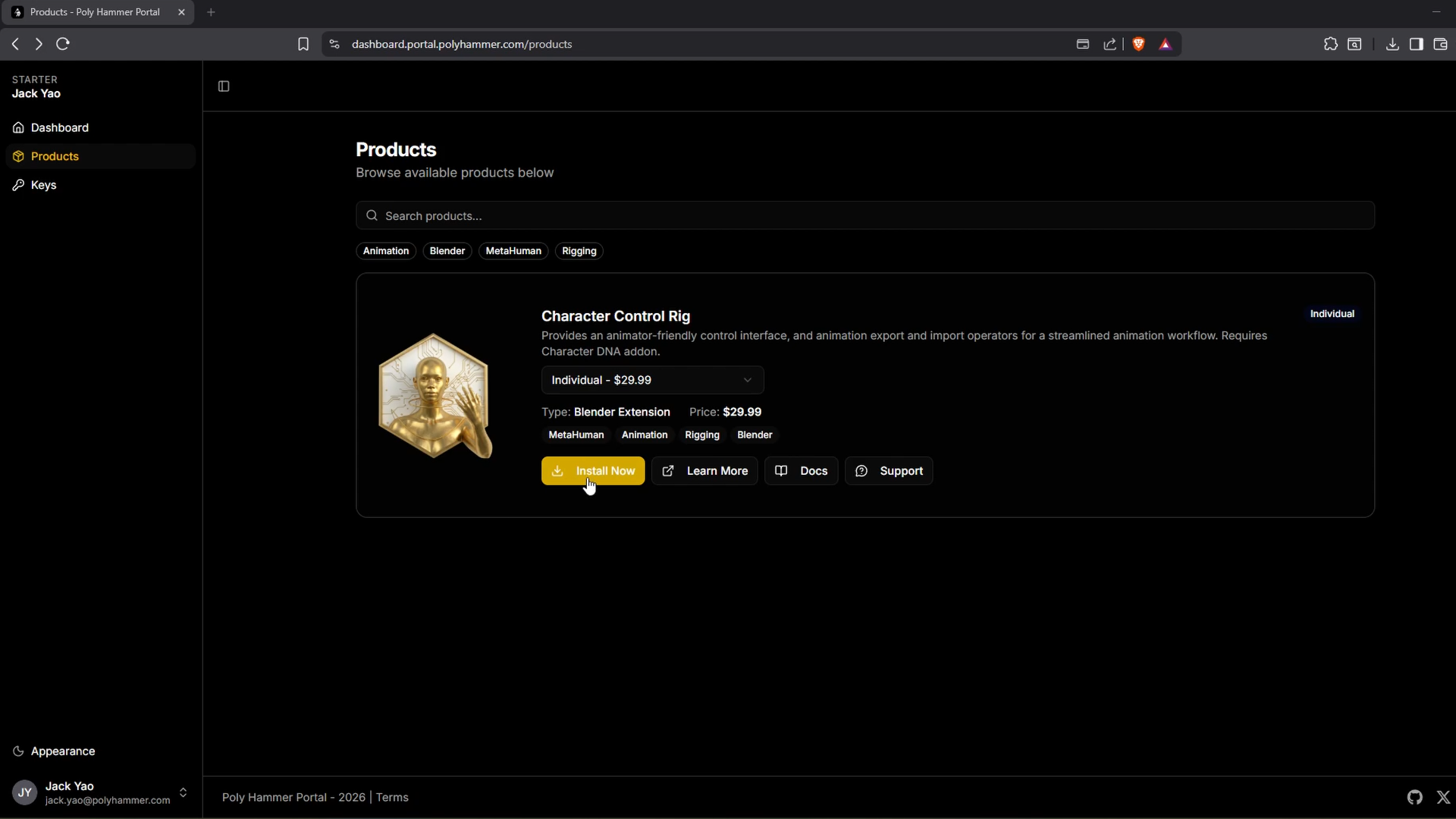
- Sign in to the Poly Hammer Portal and open the product you own from the Products page.
- Click Install Now to go to the Keys page.
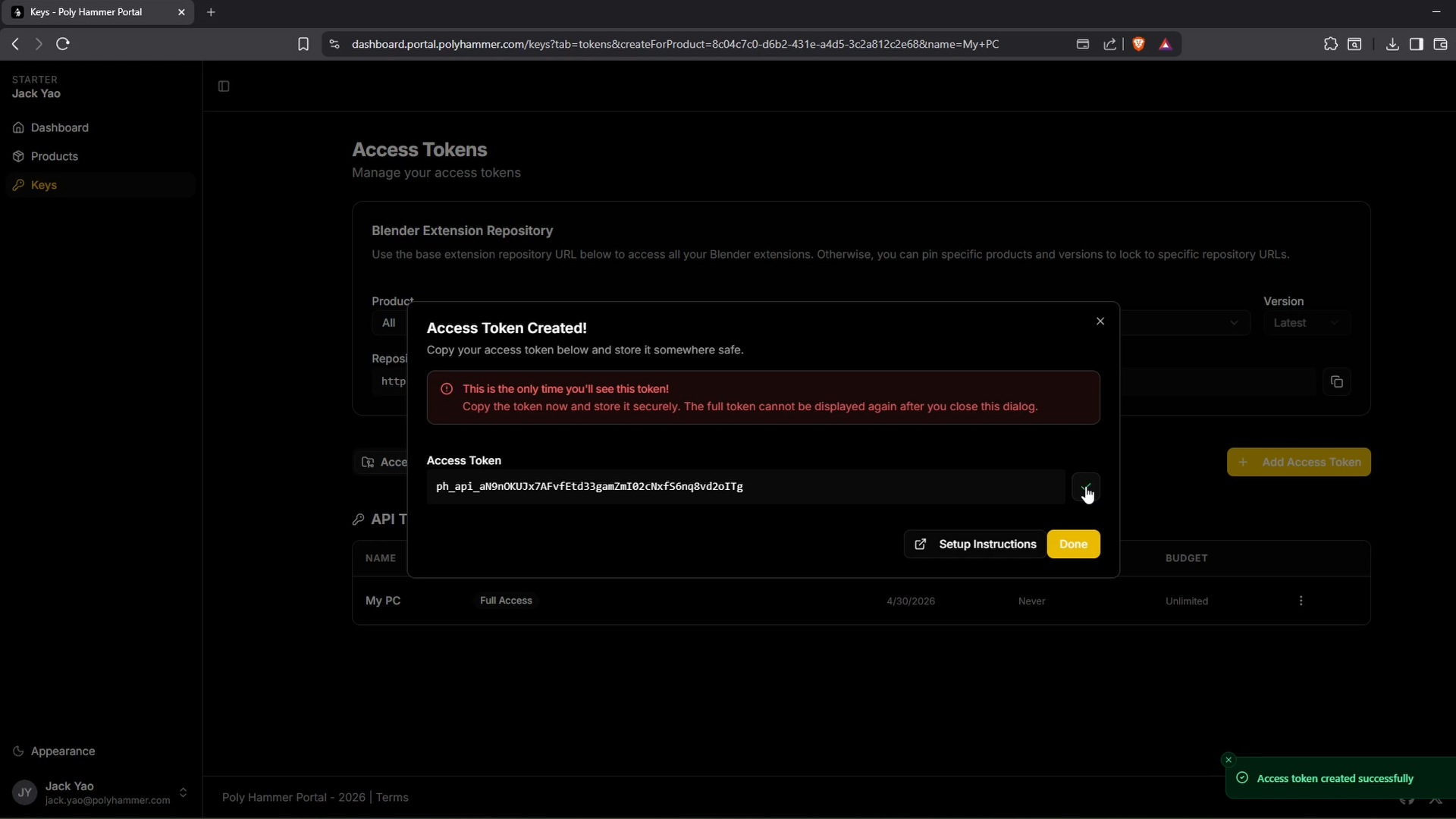
- Create a new API key and copy it.
Add the Repository in Blender
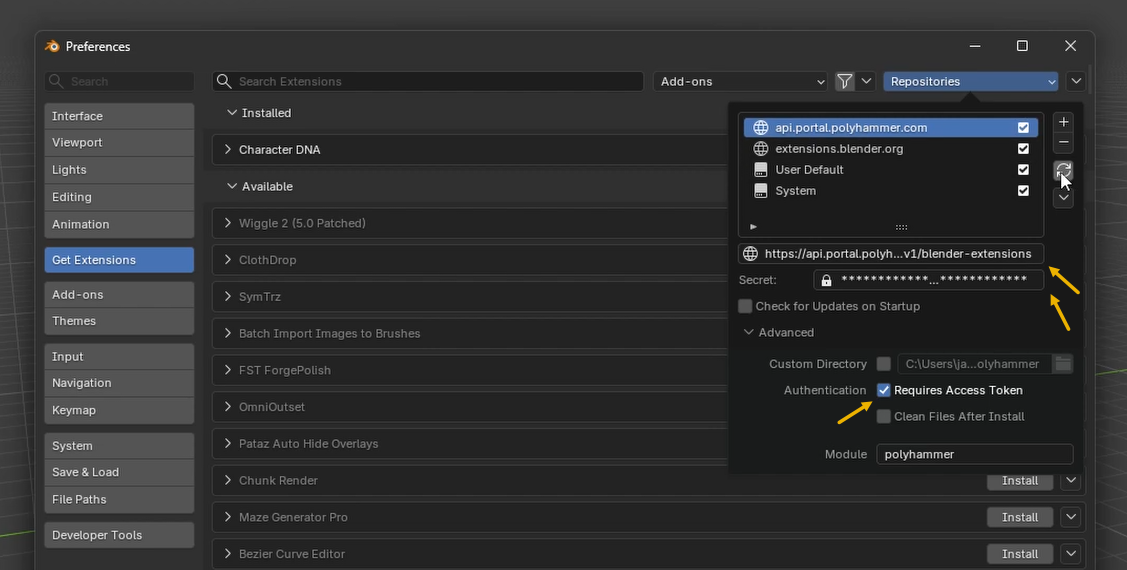
- In Blender, open
Edit > Preferences > Extensions. - Add a new Remote Repository.
- Paste your API key into the Access Token field.
- Paste the repository URL shown on the portal's Keys page into the URL field.
- (Optional) Enable Check for updates on startup.
- Click Create.
Install an Add-on
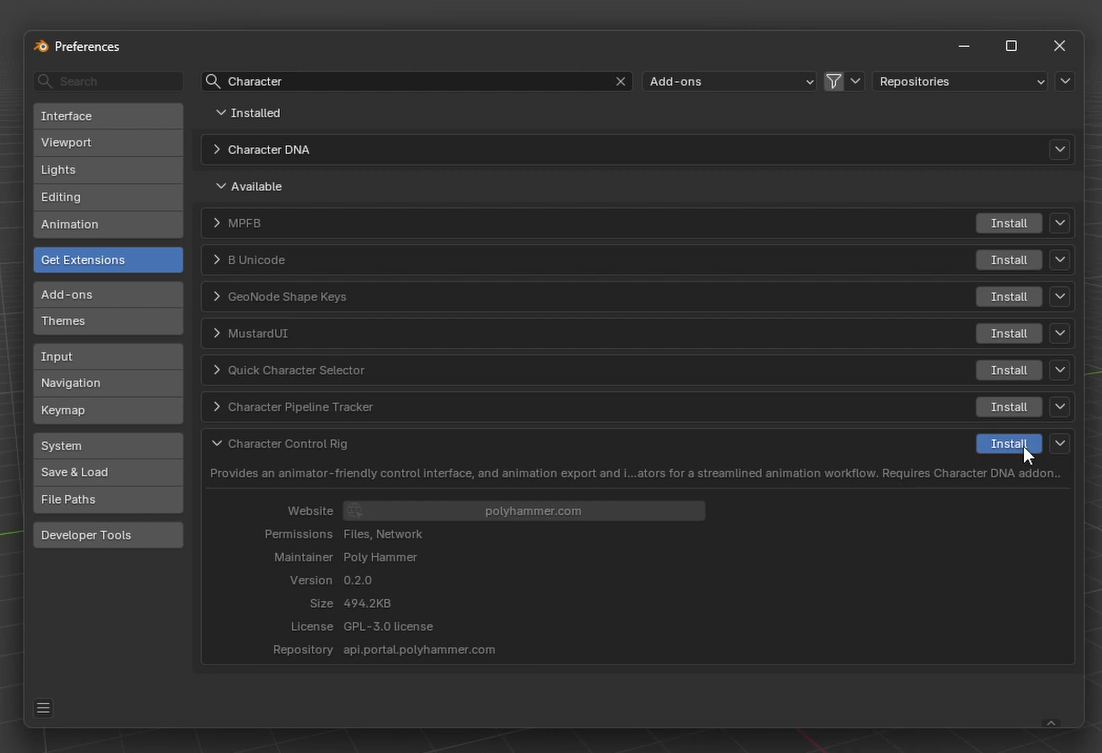
- In the Extensions preferences, select your new remote repository and click Refresh.
- Search for the add-on (for example,
Character Control Rig) and click Install.
Update an Add-on
When a new release is available, refresh the repository (or let Blender check on startup) and click Update next to the add-on to get the latest version.